External Codice event API
The event API lets an authenticated external system trigger the same player Codice path as a physical marker.
Endpoint and authentication
POST /api/codice/event
Authorization: Bearer <named-connector-credential>
Content-Type: application/json
Example:
curl --fail-with-body 'https://showcase.example/api/codice/event' \
  -H 'Authorization: Bearer <named-connector-credential>' \
  -H 'Content-Type: application/json' \
  -d '{"externalId":"MEMBER-42","connector":"crm","action":"tap","dropZone":"scan-desk"}'
| Field | Required | Meaning |
|---|---|---|
code |
One of code or externalId |
A Showcase Codice code number, used as-is |
externalId |
One of code or externalId |
An ID from an outside system, resolved through an alias |
connector |
Yes, with externalId |
The connector name that namespaces the alias |
action |
Yes | tap, down, or up |
dropZone |
Yes | The name of a drop zone, which supplies the marker's position and rotation on the wall |
Send code or externalId, never both. The request must use a named connector credential.
A successful call returns HTTP 200 with "status": "delivered", the resolved code, and delivered, the number of connected players the event was sent to.
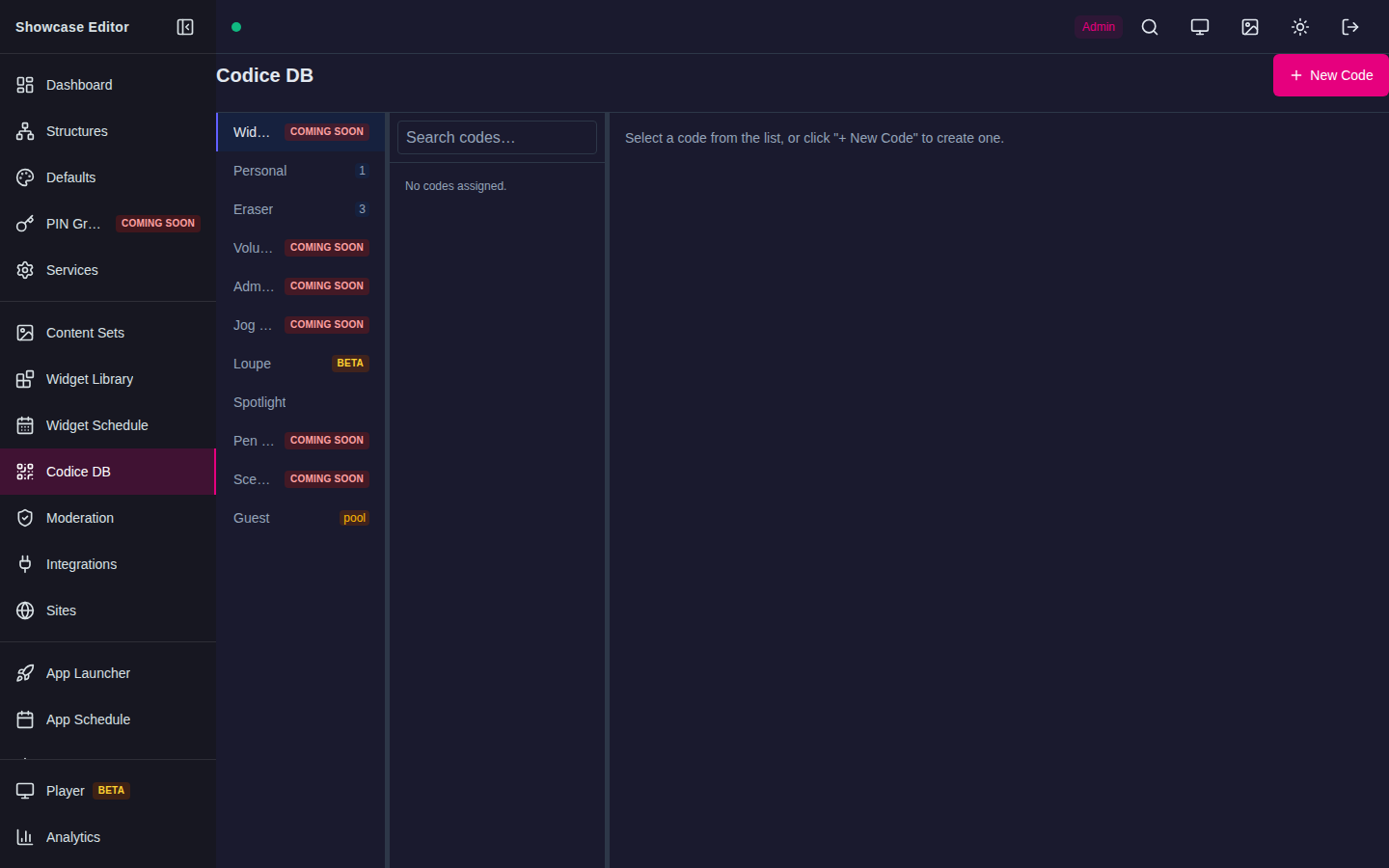
Codice DB is the operator surface for seeded codes. Open an entry to manage manual aliases; connector-fed aliases remain connector-managed.
Aliases
Aliases resolve at event time. A people connector records each person's external ID as an alias under that connector's name, so "connector": "crm" looks up aliases created by the crm connector. A namespaced alias avoids collisions between external systems.
Manual aliases are added in the External IDs panel of a code's entry in Codice DB, one at a time or with Import CSV. A manual alias with a connector name belongs to that connector. A manual alias without one is a fallback: it matches when no alias exists for the connector named in the request, but the request must still name a connector. Connector-fed aliases are read-only in the manual panel. Test at least one production-shaped alias before deployment.
Set up drop zones and the unknown-ID policy
Drop zones and the unknown-ID policy have no page in the Showcase Editor yet. Set them once per server through the API, signed in as an Administrator or Author. These calls use an Editor access token, not a connector credential:
# Sign in and copy "accessToken" from the response.
curl --fail-with-body 'https://showcase.example/api/auth/login' \
  -H 'Content-Type: application/json' \
  -d '{"email":"author@example.com","password":"<password>"}'

# Create or update a drop zone named scan-desk.
curl --fail-with-body -X PUT 'https://showcase.example/api/codice/drop-zones/scan-desk' \
  -H 'Authorization: Bearer <access-token>' \
  -H 'Content-Type: application/json' \
  -d '{"x": 1920, "y": 1080, "rotation": 0}'
xandyare the marker's landing point in scene pixels on the wall canvas, androtationis the orientation of the opened menu in degrees (default0).GET /api/codice/drop-zoneslists the drop zones, andDELETE /api/codice/drop-zones/<name>removes one.GET /api/codice/event-settingsandPUT /api/codice/event-settingsread and change the server-wide settings:unknownIdPolicy(ignore, the default, orwall-feedback) andtapDelayMs(the time between the down and up of atap, default1500, maximum60000).
curl --fail-with-body -X PUT 'https://showcase.example/api/codice/event-settings' \
  -H 'Authorization: Bearer <access-token>' \
  -H 'Content-Type: application/json' \
  -d '{"unknownIdPolicy": "wall-feedback", "tapDelayMs": 1500}'
Editor access tokens are short-lived. Use one for this setup only, and never store it in an outside system. If your server requires two-factor sign-in, contact MultiTaction support for help with this step.
There is no dry-run mode for network callers
The event API always dispatches. There is no resolution-only or dry-run option a network caller can pass — every request that resolves to a known code is sent on to the player. Test with a harmless code and drop zone instead of relying on a safe preview call.
Unknown IDs and rejections
- Unknown
codeorexternalId: the API returns HTTP 404 with{"status": "unknown-id", "policy": "ignore" | "wall-feedback"}. The policy is the server-wideunknownIdPolicysetting, not something the caller chooses per call. Withwall-feedback, the wall shows unknown-card feedback at the drop zone and the response also includesdelivered. - No player connected, or the control server is unavailable: the API returns HTTP 503 with an error detail. This is the case to watch for in monitoring — it means the event never reached the wall.
- HTTP 401 means the named connector credential is missing, invalid, or
revoked. HTTP 400 means payload validation failed: for example,
connectoris missing withexternalId, bothcodeandexternalIdwere sent, ordropZoneis missing or names a drop zone that does not exist.
Connected-player test
- Start the packaged player and confirm its control connection is healthy.
- Choose a harmless test code, and create a test drop zone as described in Set up drop zones and the unknown-ID policy.
- Record the player/server event count.
- Send one
taprequest for the test code. - Verify exactly one synthetic marker down/up sequence and expected wall behavior.
- Send a request for a code that does not exist and confirm you get a 404 with
status: "unknown-id"rather than any player action. - Send malformed input and verify the count does not change.
Never retry a down or up request blindly; use tap for operator testing.